Free Chrome Extension · Built for Accessibility

Reading the web
should be easy

Dyslexia Helper is a free Chrome extension that makes any webpage easier to read — with customizable fonts, spacing, highlights, and AI-powered reading tools built for dyslexia.

How the extension helps

Dyslexia Helper is designed around a simple flow: choose a tool, tune it live, and keep reading comfortably.

Everything you need
to read comfortably

Dyslexia Helper packs a full suite of accessibility tools into a clean, easy-to-use popup.

🔢

Dyslexia-Friendly Fonts

Switch any webpage to OpenDyslexic or other readable fonts instantly with one click.

↔️

Spacing Controls

Adjust letter, word, and line spacing live on any page to match your personal comfort level.

🎨

Color Customization

Change background and text colors, or apply high contrast themes designed for readability.

🔦

Reading Mask

A soft overlay dims surrounding text so you can focus on one line at a time as you read.

🔊

Text-to-Speech

Select any text and have it read aloud with multiple voices and adjustable speed controls.

🔍

Magnifying Glass

Hover a circular magnifier over any part of the page to zoom in on text without losing context.

📖

Dictionary & Thesaurus

Look up definitions, pronunciations, and synonyms for any word without leaving the page.

Complex Word Highlighter

Automatically identifies and highlights long or complex words to help you spot difficult vocabulary.

⌨️

Custom Keybindings

Set your own keyboard shortcuts for any feature so you never need to open the popup to use it.

A closer look

Clean, friendly, and fully customizable. Here's what Dyslexia Helper looks like in use.
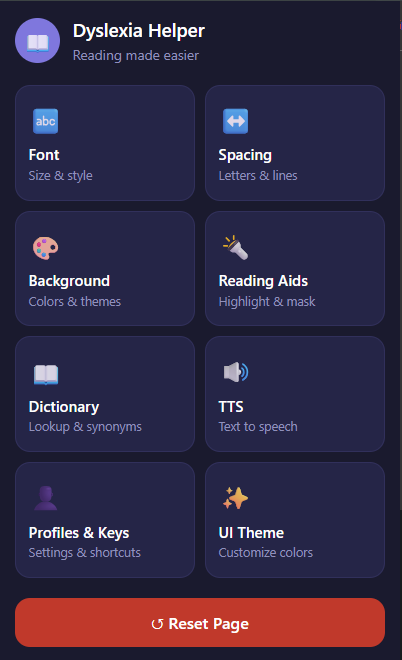
Dyslexia Helper home menu showing the main feature categories.

Home Menu

The main popup with all categories laid out in a clean card grid.
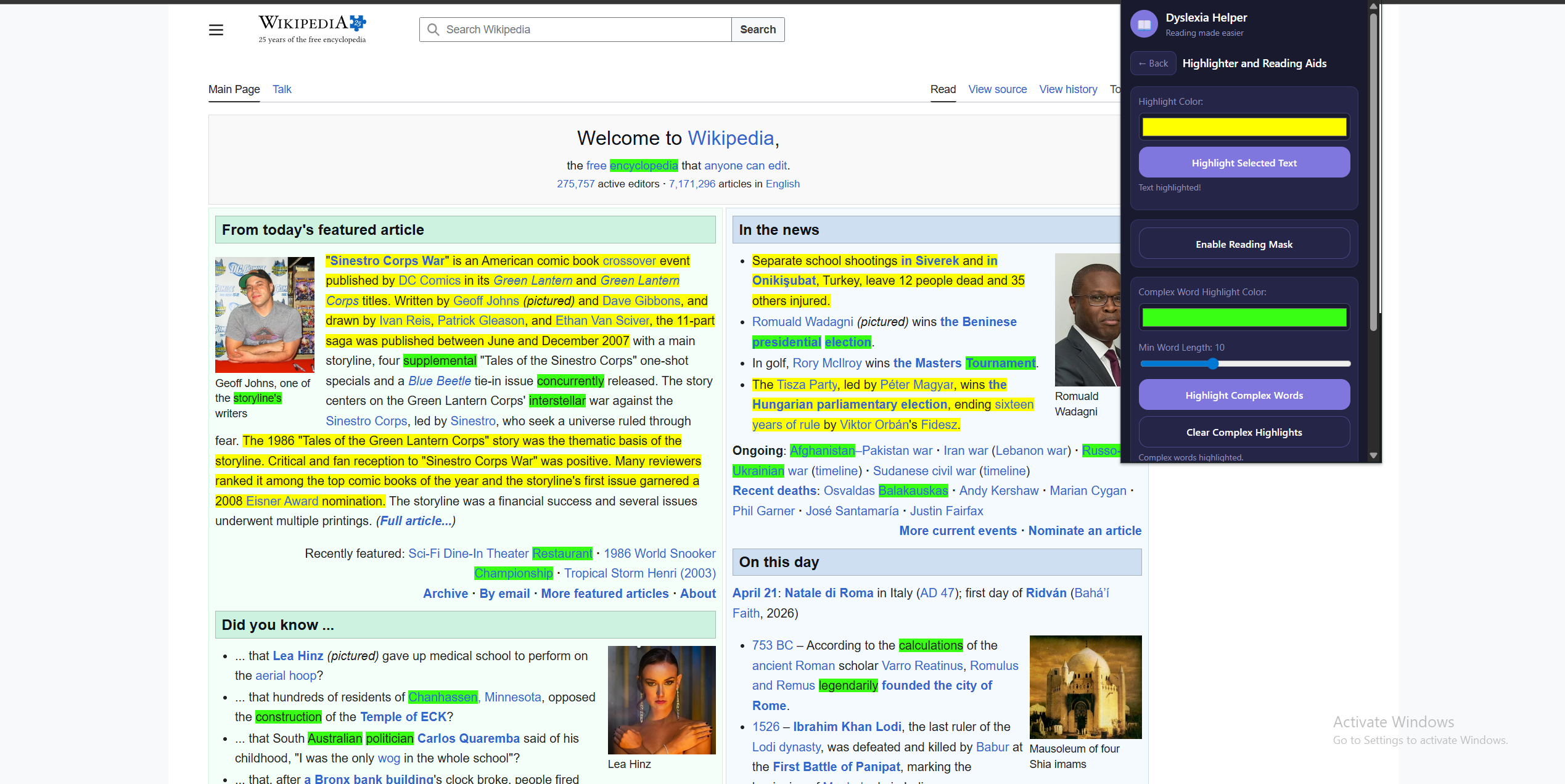
Dyslexia Helper reading aids in action on a webpage.

Reading Aids in Action

The reading mask and text highlighter active on a live webpage.
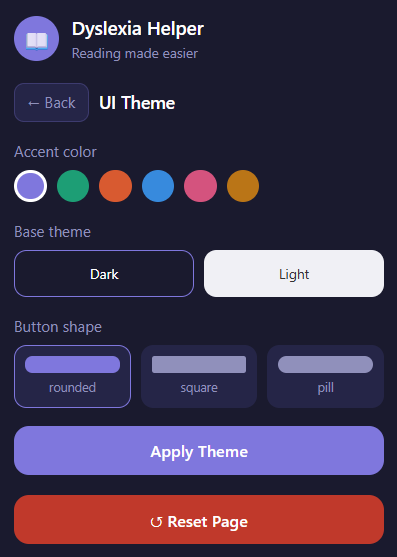
Dyslexia Helper interface theme customizer.

UI Theme Customizer

Users can personalize accent colors, dark/light mode, and button shapes.

Up and reading
in four steps

No account needed. No subscription. Just install and go.

Download

Grab the extension zip file from the button above or below.

Extract

Unzip the file to any folder on your computer.

Load in Chrome

Go to chrome://extensions, enable Developer Mode, and click "Load unpacked".

Start Reading

Pin the extension, open any webpage, and click the icon to begin.

Ready to get started?

Install Dyslexia Helper in under two minutes. Works on any website in Chrome.

  1. Download the zip file below
  2. Extract the zip to a folder of your choice
  3. Open Chrome and navigate to chrome://extensions/
  4. Enable Developer Mode in the top right corner
  5. Click "Load unpacked" and select the extracted folder
  6. Click the puzzle icon in Chrome and pin Dyslexia Helper to your toolbar
↓ Download Extension (.zip)